

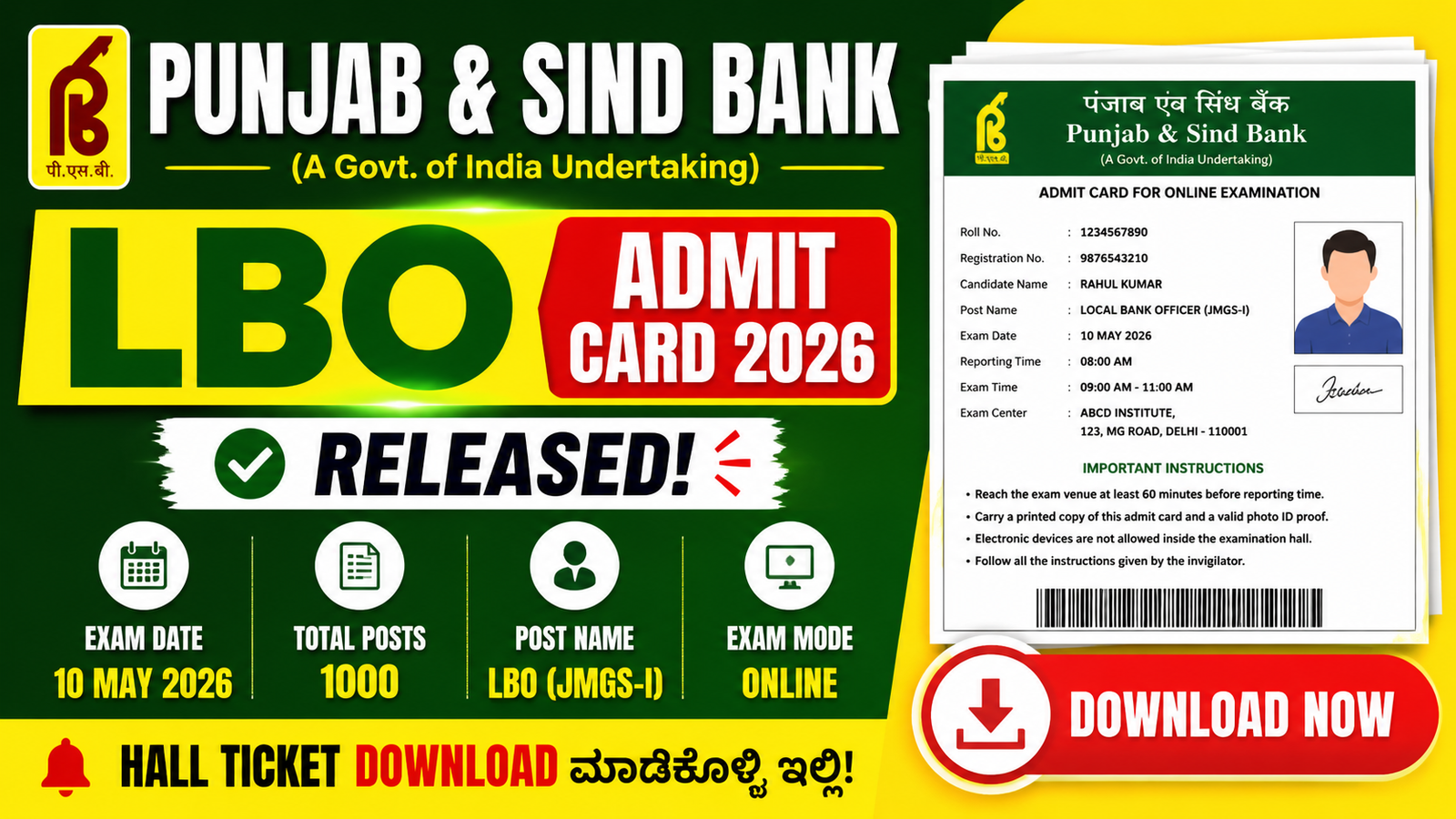
Punjab & Sind Bank LBO Admit Card 2026 – ಈಗಲೇ Download ಮಾಡಿ, Exam Dayಗೆ Ready ಆಗಿ
Punjab & Sind Bank Local Bank Officer (LBO) examಗೆ apply ಮಾಡಿರುವ ಅಭ್ಯರ್ಥಿಗಳಿಗೆ admit card release ಆಗಿರುವುದು ಒಂದು important update. ಹಲವರು preparation ಮೇಲೆ full focus ಇಟ್ಟುಕೊಂಡಿರುತ್ತಾರೆ, ಆದರೆ admit card download ಮಾಡುವುದು, details verify ಮಾಡುವುದು, documents ready ಇಡುವುದು ಇವುಗಳನ್ನು last minuteಗೆ ಬಿಡುತ್ತಾರೆ. ಇದೇ ದೊಡ್ಡ mistake.
Admit card ಅಂದ್ರೆ ಕೇವಲ ಒಂದು PDF file ಅಲ್ಲ. ಇದು ನಿಮ್ಮ exam entry permission. ನೀವು ಎಷ್ಟು ಚೆನ್ನಾಗಿ ಓದಿದ್ದರೂ, hall ticket ಇಲ್ಲದೆ exam center ಒಳಗೆ ಹೋಗಲು ಅವಕಾಶ ಸಿಗುವುದಿಲ್ಲ. ಆದ್ದರಿಂದ admit card download ಮಾಡಿದ ತಕ್ಷಣ ಎಲ್ಲಾ details check ಮಾಡುವುದು ತುಂಬಾ ಮುಖ್ಯ.
Punjab & Sind Bank LBO Admit Card 2026 ಅನ್ನು official websiteನಲ್ಲಿ 2 May 2026ರಂದು release ಮಾಡಲಾಗಿದೆ. Exam 10 May 2026ರಂದು ನಡೆಯಲಿದೆ. Examಗೆ ಇನ್ನೂ ಕೆಲವೇ ದಿನಗಳು ಇರುವುದರಿಂದ ಈಗ wait ಮಾಡದೇ admit card download ಮಾಡಿ safe sideನಲ್ಲಿ ಇರುವುದು best.
Bank exams generally competitive ಇರುತ್ತವೆ. Preparation ಜೊತೆಗೆ documentation ಕೂಡ equally important. Admit card, ID proof, reporting time, exam center location ಇವೆಲ್ಲವೂ exam day smooth ಆಗಿರಲು ಸಹಾಯ ಮಾಡುತ್ತವೆ.
Admit Card ಯಾಕೆ ಇಷ್ಟು important?
ಬಹಳ candidates admit card ಅನ್ನು simple formality ಅಂತ ಭಾವಿಸುತ್ತಾರೆ. ಆದರೆ reality ಬೇರೆ.
Admit cardನಲ್ಲಿ ನಿಮ್ಮ examಗೆ ಸಂಬಂಧಿಸಿದ complete official information ಇರುತ್ತದೆ. Exam center staff ನಿಮ್ಮ identity verify ಮಾಡಲು ಮೊದಲು admit card check ಮಾಡುತ್ತಾರೆ. Admit card ಇಲ್ಲದೆ candidate ಅನ್ನು ಒಳಗೆ allow ಮಾಡುವುದಿಲ್ಲ.
ಇದರ ಜೊತೆಗೆ, exam timing, shift details, reporting time, center address ಎಲ್ಲವೂ ಇದರಲ್ಲಿ mention ಆಗಿರುತ್ತದೆ. ಇವುಗಳಲ್ಲಿ ಒಂದು detail miss ಆದರೂ problem ಆಗಬಹುದು.
ಉದಾಹರಣೆಗೆ:
- Reporting time 8:00 AM ಇದ್ದು ನೀವು 8:20 AMಗೆ ಹೋದರೆ entry close ಆಗಿರಬಹುದು
- Wrong exam centerಗೆ ಹೋದರೆ exam miss ಆಗಬಹುದು
- Photo mismatch ಇದ್ದರೆ verification issue ಬರಬಹುದು
ಆದ್ದರಿಂದ admit card download ಮಾಡಿ save ಮಾಡುವುದಷ್ಟೇ ಸಾಕಾಗುವುದಿಲ್ಲ. ಅದನ್ನು fully review ಮಾಡಬೇಕು.
Admit Cardನಲ್ಲಿ ಯಾವ details ಇರುತ್ತವೆ?
Admit card open ಮಾಡಿದ ನಂತರ ಕೆಳಗಿನ details ಕಾಣುತ್ತವೆ:
Candidate details
- Candidate name
- Roll number
- Registration number
- Date of birth
- Category
- Photograph
- Signature
ಮೊದಲೇ ಇವುಗಳನ್ನು check ಮಾಡಿ.
Check ಮಾಡಬೇಕಾದುದು:
- ಹೆಸರು spelling correct ಇದೆಯಾ?
- Photo visible ಇದೆಯಾ?
- Signature clear ಇದೆಯಾ?
ಒಂದು spelling mistake ಕೂಡ later verificationನಲ್ಲಿ issue ಕೊಡಬಹುದು.
Exam details
- Exam date
- Shift timing
- Reporting time
- Exam duration
- Exam center address
Exam date: 10 May 2026
ಈ details ಅನ್ನು screenshot ತೆಗೆದು phoneನಲ್ಲಿ save ಮಾಡಿಕೊಂಡರೆ convenient.
ಆದರೆ exam hallಗೆ phone use ಮಾಡಲು ಸಾಧ್ಯವಿಲ್ಲ, ಆದ್ದರಿಂದ printed copy compulsory.
Instructions section
ಬಹಳ ಜನ ignore ಮಾಡುವ section ಇದು.
ಇದರಲ್ಲಿ usually mention ಆಗಿರುವುದು:
- ಯಾವ documents carry ಮಾಡಬೇಕು
- ಯಾವ items allowed ಇಲ್ಲ
- dress code rules (ಇದ್ದರೆ)
- biometric verification details
Instructions ಓದದೇ ಹೋಗುವುದು unnecessary risk.
Admit Card Download ಮಾಡುವ simple process
Admit card download ಮಾಡುವುದು easy. ಈ steps follow ಮಾಡಿ:
Step 1: Official website open ಮಾಡಿ
Punjab & Sind Bank official website open ಮಾಡಿ.
Homepage load ಆದ ನಂತರ recruitment/careers section ಹುಡುಕಿ.
Step 2: Careers section open ಮಾಡಿ
Menu ಅಥವಾ footerನಲ್ಲಿ careers option ಇರಬಹುದು.
ಅದನ್ನು click ಮಾಡಿ.
Step 3: LBO Admit Card link select ಮಾಡಿ
“Punjab & Sind Bank LBO Admit Card 2026” link open ಮಾಡಿ.
ಸರಿಯಾದ link open ಮಾಡಿದ್ದೀರಾ check ಮಾಡಿ.
Step 4: Login details enter ಮಾಡಿ
Usually ಬೇಕಾಗುವುದು:
- Registration number / Roll number
- Password ಅಥವಾ Date of Birth
- Captcha code
Correct details enter ಮಾಡಿ.
Step 5: Login ಮಾಡಿ
Submit click ಮಾಡಿದ ನಂತರ admit card open ಆಗುತ್ತದೆ.
Step 6: Download & save
PDF download ಮಾಡಿ.
Laptop/mobile ಎರಡಲ್ಲೂ save ಮಾಡಬಹುದು.
Step 7: Print ತೆಗೆದುಕೊಳ್ಳಿ
Minimum 2–3 printouts ತೆಗೆದುಕೊಳ್ಳಿ.
ಒಂದು extra copy safe.
Download ಮಾಡಿದ ನಂತರ ಏನು ಮಾಡಬೇಕು?
Admit card download ಆದ ತಕ್ಷಣ candidates usually relaxed ಆಗುತ್ತಾರೆ. ಆದರೆ ಇನ್ನೂ ಕೆಲಸ ಬಾಕಿ ಇರುತ್ತದೆ.
1. Details verify ಮಾಡಿ
Check list:
- Name correct
- Photo clear
- Center address visible
- Exam date correct
- Reporting time noted
2. Exam center location check ಮಾಡಿ
ಹೊಸ place ಆದರೆ route ಗೊತ್ತಿರದೇ ಇರಬಹುದು.
Google Mapsನಲ್ಲಿ location search ಮಾಡಿ.
Possible ಆದರೆ one day before route check ಮಾಡಿ.
ಇದರಿಂದ exam day tension ಕಡಿಮೆ.
3. Travel plan ಮಾಡಿ
Traffic, weather, distance consider ಮಾಡಿ.
ಬೆಳಿಗ್ಗೆ exam ಇದ್ದರೆ previous nightನೇ plan ready ಇಟ್ಟುಕೊಳ್ಳಿ.
4. Documents arrange ಮಾಡಿ
ಮುಂಚೆಯೇ folderನಲ್ಲಿ ಇಡಿ.
Last minute search avoid ಆಗುತ್ತದೆ.
Exam dayಗೆ carry ಮಾಡಬೇಕಾದ documents
Exam centerಗೆ ಹೋಗುವಾಗ ಕೆಳಗಿನ documents compulsory:
Printed Admit Card
Clear print ಇರಬೇಕು.
Blur print avoid ಮಾಡಿ.
Valid Photo ID proof
ಈ optionsಗಳಲ್ಲಿ ಯಾವುದಾದರೂ:
- Aadhaar Card
- PAN Card
- Voter ID
- Driving License
- Passport
Original copy carry ಮಾಡಿ.
Passport size photos
2 recent photos carry ಮಾಡುವುದು better.
Carry ಮಾಡಬಾರದು
ಕೆಳಗಿನ items generally prohibited:
- Mobile phones
- Smart watch
- Bluetooth devices
- Calculator
- Notes/books
- Bags
Exam center rules strict ಇರಬಹುದು.
Unnecessary items avoid ಮಾಡಿ.
Common mistakes to avoid
Last minute download
Server busy ಆಗಬಹುದು.
Early download safe.
Wrong print
Half print ಅಥವಾ unclear print avoid.
Reporting time ignore ಮಾಡುವುದು
Reporting time exam time ಅಲ್ಲ.
ಮುಂಚೆ reach ಆಗಬೇಕು.
ID proof ಮರೆತು ಹೋಗುವುದು
Checklist ಮಾಡಿ documents pack ಮಾಡಿ.
Wrong centerಗೆ ಹೋಗುವುದು
Center address double-check ಮಾಡಿ.
Exam day practical tips
Early ಆಗಿ ಹೊರಡಿ
Minimum 1 hour buffer ಇಡಿ.
Proper sleep ಮಾಡಿ
Late night ಓದು avoid.
Fresh mind helpful.
Light food ತೆಗೆದುಕೊಳ್ಳಿ
Heavy meal avoid.
Admit Card issue ಬಂದರೆ ಏನು ಮಾಡಬೇಕು?
Login ಸಮಸ್ಯೆ ಬಂದರೆ:
- Browser change ಮಾಡಿ
- Cache clear ಮಾಡಿ
- Different device try ಮಾಡಿ
- Credentials recheck ಮಾಡಿ
Still issue ಇದ್ದರೆ official helpdesk contact ಮಾಡಿ.
Delay ಮಾಡಬೇಡಿ.
Download ಮಾಡಿದ ನಂತರ final checklist
Exam ಮುಂಚೆ confirm ಮಾಡಿ:
- Admit card downloaded
- Printouts ready
- ID proof packed
- Photos ready
- Center location checked
- Reporting time noted
Checklist complete ಇದ್ದರೆ stress ಕಡಿಮೆ.
| Purpose | Link |
|---|---|
| Admit Card Download | Click Here |
| Official Website | Click Here |
Frequently Asked Questions
1. Black and white print okayನಾ?
ಹೌದು, clear ಇದ್ದರೆ okay.
2. Mobile PDF show ಮಾಡಿದರೆ ಸಾಕಾ?
ಇಲ್ಲ. Printed copy ಬೇಕು.
3. Admit cardನಲ್ಲಿ mistake ಇದ್ದರೆ?
Official support contact ಮಾಡಿ.
4. Late entry allow ಮಾಡುತ್ತಾರಾ?
Generally ಇಲ್ಲ.
5. Extra print ಬೇಕಾ?
ಹೌದು, extra copy useful.
Final Advice
Punjab & Sind Bank LBO Admit Card 2026 download ಮಾಡುವುದು ಒಂದು small task ಅನಿಸಬಹುದು. ಆದರೆ exam perspectiveನಲ್ಲಿ ಇದು ಅತ್ಯಂತ important.
Preparation ಮಾತ್ರ ಸಾಕಾಗುವುದಿಲ್ಲ. Documentation mistake ಮಾಡಿದರೆ hard work waste ಆಗಬಹುದು.
ಅದಕ್ಕಾಗಿ simple rule follow ಮಾಡಿ:
Download early → Verify carefully → Documents ready → Reach early
Exam day stress-free ಆಗಿರಲು planning ಮುಖ್ಯ.
ನಿಮ್ಮ admit card ಈಗಲೇ download ಮಾಡಿ, ಎಲ್ಲ details verify ಮಾಡಿ, examಗೆ confidently ಹೋಗಿ.
All the best.